
Hair Defined 2 is one of the most iconic and widely downloaded FFXIV hair mods ever created for Final Fantasy XIV, upgrading vanilla hairstyles with true UHD 4K hair textures for both player characters and major NPCs who share the same hair assets. Built for clarity while staying completely faithful to Square Enix’s original art style, Hair Defined 2 removes blurry, pixelated hair strands in cutscenes, GPose, and everyday gameplay without replacing your favorite vanilla styles.
Key Features of Hair Defined 2
- True UHD 4K Hair Textures: Replaces low-resolution vanilla hair maps with razor-sharp strands, natural highlights, and cleaner alpha edges.
- Player Characters & Major NPCs Covered: Automatically enhances every playable race alongside Scions and story NPCs who share vanilla hair files.
- Vanilla-Faithful Clarity: Preserves original hair shapes, colors, and lighting behavior—making it the ideal companion to Face Defined DT.
- Penumbra & TexTools Compatible: Easily managed inside Penumbra collections or imported as a modpack through FFXIV TexTools.
Mod Specifications & Compatibility
| Specification | Details |
|---|---|
| Official Source | Hair Defined 2 on Nexus Mods |
| Required Tool | Penumbra (via XIVLauncher & Dalamud) or FFXIV TexTools |
| Compatibility | Final Fantasy XIV Dawntrail 7.x (All Playable Races & Shared NPC Hairs) |
| Categories | Characters & Models and Textures |
How to Install Hair Defined 2 in FFXIV
- Click the Secure Download Mod button above to download the Hair Defined 2 archive.
- Launch Final Fantasy XIV using XIVLauncher and open Penumbra in-game via
/penumbra. - Go to Mods → Import Mod and select the downloaded
.pmpor.ttmp2file. - Enable Hair Defined 2 in your active collection and redraw your character to see the 4K hair detail right away.
New to installing FFXIV mods? Read our step-by-step How to Mod FFXIV Guide, and visit Are FFXIV Mods Allowed? for safe client-side modding tips.
Best FFXIV Mods to Pair With Hair Defined 2
For a complete, cohesive HD overhaul across your character and Eorzea, pair Hair Defined 2 with these community favorites:
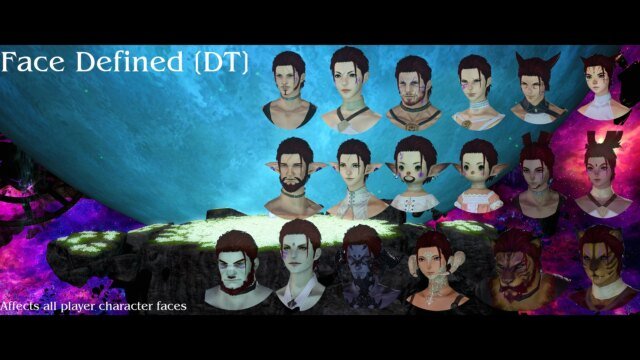
- Complete the Character Duo: Pair directly with Face Defined DT for matching HD facial skin, eyebrows, and makeup.
- Unlock Full Headgear: Add Hrothgar and Viera Hats so your upgraded hairstyles work seamlessly under hats and hoods.
- Upgrade World & Lighting: Combine with Upscaled World Textures and Alive Reshade Preset for crisp environments and natural lighting.
- Explore all top community releases in our Best FFXIV Mods hub.
Frequently Asked Questions
Does Hair Defined 2 work with custom modded hairstyles?
Hair Defined 2 upgrades vanilla hairstyles and shared NPC hairs. If you also install custom hair ports, simply place custom hair mods at a higher priority in Penumbra so they load cleanly without conflicts.
Will 4K hair textures reduce my FPS?
On most modern GPUs (6 GB VRAM or higher), the FPS difference is negligible. If you play on an older system, check the archive options for lower-resolution variants.
Leave a Reply