
Alive Reshade Preset is one of the highest-rated visual FFXIV mods for Final Fantasy XIV, delivering a curated collection of subtle ReShade presets designed to make Eorzea look sharper, richer, and more atmospheric without sacrificing gameplay readability. Created by Wafflez, the pack removes Final Fantasy XIV’s washed-out greenish vanilla tint while carefully tuning color balance, atmospheric fog, and ambient occlusion (SSAO) for both everyday raiding and GPose photography.
Key Features of Alive Reshade Preset
- Multiple Profiles Included: Switch effortlessly between lightweight Performance presets for high-FPS raiding and richer Gameplay, Ultra, or optional RTGI presets for exploration and screenshots.
- Natural Color & Contrast Tuning: Eliminates flat, hazy lighting while preserving Eorzea’s natural daytime warmth, crisp night skies, and readable combat telegraphs.
- Balanced Atmospheric Fog & SSAO: Adds subtle depth and grounded contact shadows to cities, dungeons, and open-world zones without crushing dark areas.
- 100% Client-Side Post-Processing: Runs strictly through ReShade on your GPU—no game files are modified and no server data is touched.
Mod Specifications & Compatibility
| Specification | Details |
|---|---|
| Creator | Wafflez on Nexus Mods |
| Required Tool | ReShade (DirectX 11, Add-on support recommended for UI masking) |
| Compatibility | Final Fantasy XIV Dawntrail 7.x (Windows PC & Steam Deck/Linux) |
| Category | Visuals |
How to Install Alive Reshade Preset in FFXIV
- Download and install the latest version of ReShade, selecting
ffxiv_dx11.exe(DirectX 10/11/12) and installing the required shader packages. - Click the Secure Download Mod button above to download the Alive Reshade Preset archive.
- Extract the
.inipreset files into your Final Fantasy XIVgamefolder (the same directory asffxiv_dx11.exe). - Launch FFXIV, press the
Homekey to open the ReShade overlay, and select your preferred Alive preset from the top dropdown bar.
New to FFXIV modding? Check out our How to Mod FFXIV Guide for full setup steps, and read Are FFXIV Mods Allowed? to learn why client-side ReShade presets are widely considered low-risk when kept private.
Best FFXIV Mods to Pair With Alive Reshade Preset
Alive Reshade looks even better when paired with high-resolution textures and character upgrades:
- Sharpen Eorzea’s terrain and architecture with Upscaled World Textures.
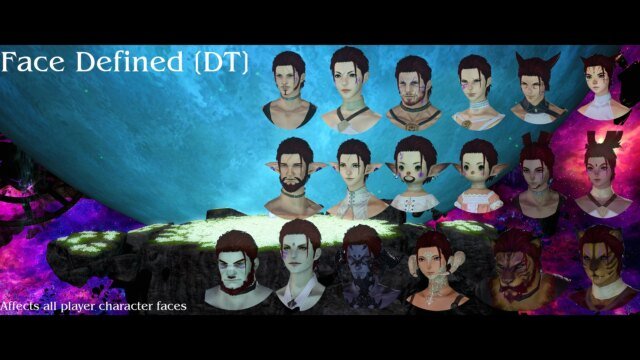
- Upgrade every playable race’s facial detail with Face Defined DT.
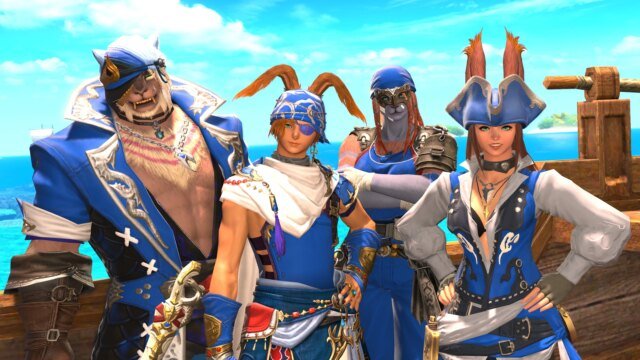
- Unlock full headgear compatibility with Hrothgar and Viera Hats.
- Explore more FFXIV Visuals & Shaders, Models and Textures, and our curated Best FFXIV Mods hub.
Frequently Asked Questions
Will Alive Reshade Preset lower my FPS in raids?
The included Alive Performance preset has minimal FPS impact on modern GPUs and is built specifically for smooth dungeons, trials, and 24-player raids. Heavier presets with SSAO or RTGI are best for exploration and GPose.
Can I use Alive Reshade alongside Penumbra mods?
Yes. ReShade is a post-processing layer that works independently alongside Penumbra, XIVLauncher, and texture packs like Upscaled World Textures.

Leave a Reply